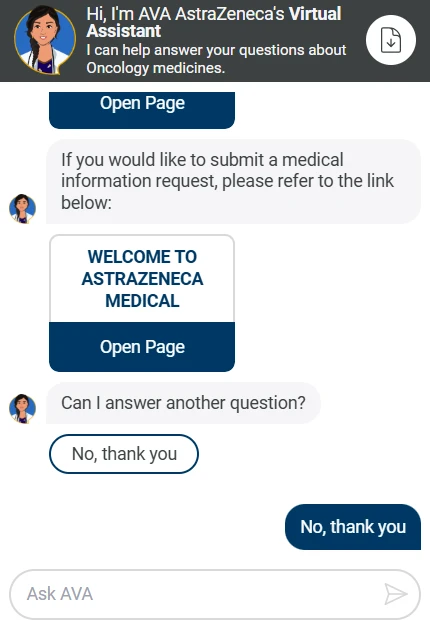
Feature set
- Live chat via
Bot Framework(WebSocket + RxJS) - Intent recognition
- Fuzzy filtering of queries by medical term
- Export of dialogue history to PDF
- Rendering ~MDX
- Theming for regional versions via CSS variables
- Mount as an embedded script
My work
- Most of the frontend business logic
- Fuzzy query filter
- Theming
- Message component logic
- Markdown parsing
- Metrics
- Refactoring
- Code review
- Task estimation
- Communication with the customer
- Knowledge transfer
Team
Frontend:    4–5
Backend:     6
QA:          3
Management:  3
BA:          1
DataScience: 3
Stack
Frontend   React, TypeScript, JEST, @microsoft/BotFramework, Tailwind CSS, Fuse.js, Remark/Rehype, React MD
Backend:   Java, Microsoft/copilot (Platform), Python, Typescript
Toolchain: Github, Github-Actions, AWS/Edge, AWS/S3, Atlassian Jira & Confluence, Botium
Interesting tasks
Dataset generation
For model training there was an Excel document with ~30,000 sentences. Each used a medical term / drug name. There were also several Excel files with terminology synonyms — several thousand rows in total.
Task: multiply each sentence by each variation.
The first attempt was a Rust script. Even without multithreading, some rows without any pattern simply disappeared. I didn’t find the problem in a day and decided to abandon it.
Contrary to my expectations, after a couple of iterations the Node.js script handled the task perfectly in a couple of seconds.
The main problem was the term format. Sometimes one word was problematically replaced by several, sometimes a term could be part of another word. The obvious solution is regex by word boundaries.
The problem is more about tracking this at such dataset size. From the result you can see there are fewer rows than there should be, but finding what exactly went wrong is already a problem.
In the end the result had to be written to a file in parts: after 100,000 rows the parsing library just crashed without an error log. Documentation doesn’t mention such things.
Parsing, ~MDX
Bot responses came to the frontend as a string with formatting close to extended markdown syntax.
On the Copilot platform, dialogue trees were generated by categories, drugs, etc. The source data came from the Docuvera service, where someone on the customer side filled it in manually.
We accordingly tried to render this markdown; the problem was data quality.
For example, the link format should be [name](url).
Several variations of what we got instead:
[url](name)(name)[url][name(url)]click here [url](url)
On the client side we encountered a complete unwillingness to change anything. We had to try to process it.
BotFramework protocol
I don’t remember exactly what problem we were trying to solve. At some point I had to dig through BotFramework code for several hours.
BotFramework opened a WebSocket with the Copilot server. Messages from the bot came into the socket; client messages were there too.
It turned out that client messages are sent via a REST request, and then the server duplicates them into the socket.
I could have just looked at the arrows in DevTools, oh well…
Embedded script
The application is embedded into the company’s main site as an embedded script. The site developers allocate a div for us to mount into. Communication between the site and the application happens via a custom data-layer in the window object.
At some point the application stopped working. The mount code was written before I joined the project; I didn’t touch it and didn’t want to.
After struggling for several hours, I concluded that one of the site’s scripts was overwriting ours.
It turned out that we mounted into global scope, the site and the application are built via Webpack and have the same function naming semantics. I wrapped our application in an IIFE — and everything worked.
The most interesting thing is that it had somehow worked for a month, if not more, before that.
Creative solutions
Handling complex components
The project design included complex messages from the bot: several cards in a row, a carousel, etc.
The problem is again the data format. Each carousel element, each card came as a separate message. We listen either via WebSocket or by polling, but we don’t know when the current block ends in order to assemble the component.
As a temporary solution, we wrapped such records in Copilot in text messages of the format CAROUSEL_START, CAROUSEL_END and used them to organize the message feed.
With each new generation of dialogue trees in Copilot, these messages were reset. They were forgotten, tests broke, and a bunch of problems appeared.
After digging through documentation for a couple of hours, I found an additional event channel for communication of system messages, which we weren’t using on the application side.
After a series of manipulations, I was able to attach system events with custom data to neighboring messages, which we could use to orient ourselves.